A charity employee or volunteer pays out of pocket for an event, a visit or some supplies, then keeps the receipt for weeks before handing it to the accountant. The receipt gets lost, the amount is copied wrongly, and reimbursement drags on until the person feels awkward asking. It happens at every charity without a clear path for staff expenses. In this article we explain how Najeed shortens the road from a photo of the receipt to the accounting entry.
Where staff expenses usually go wrong
The trouble is rarely the amounts. It is the road they travel:
- Paper receipts: forgotten in pockets and cars until accounting day.
- Manual entry: the accountant retypes the amount, date and shop name from the paper.
- Undocumented approval: a signature on a page or a message in a chat app, hard to find at audit time.
- Late reimbursement: the employee never knows where the claim stands or when it will be paid.
Four steps from receipt to entry
Najeed's mobile expenses add-on gives employees and volunteers a single path, described in the expenses module in four steps:
- Snap the receipt: the employee or volunteer photographs it from self-service on their phone.
- Auto-fill: the system reads the barcode and fills in the amount, date, shop and tax, and it learns the category from earlier expenses. With the full invoice reading (OCR) add-on, a receipt with several categories is split, such as a hotel bill with a room and a dinner.
- Approval cycle: it runs on three or four adjustable levels, for example the line manager, then the finance manager, then the executive director for amounts above SAR 5,000.
- Accounting entry: an entry is posted to the expense account with recoverable input VAT, and the amount shows as payable to the employee or volunteer, who can be paid directly.
The result: nobody waits for an accountant to key in their data, and the accountant never retypes what was written on paper.
Why tiered approval matters for a charity
Charities answer to their boards and to supervising bodies, so every riyal spent needs a clear trail. An approval cycle sends each expense to the person with the authority to approve it, and keeps who approved and when in the system instead of scattered papers. That supports the governance reports your board expects. The charity decides how many levels apply and at what amount a claim moves up to the next one.
Where the expense lands after approval
Approval is not the end: the expense enters the charity's books. Here is a real screen from the demo system for a fictional charity, and all of its data is demo data:
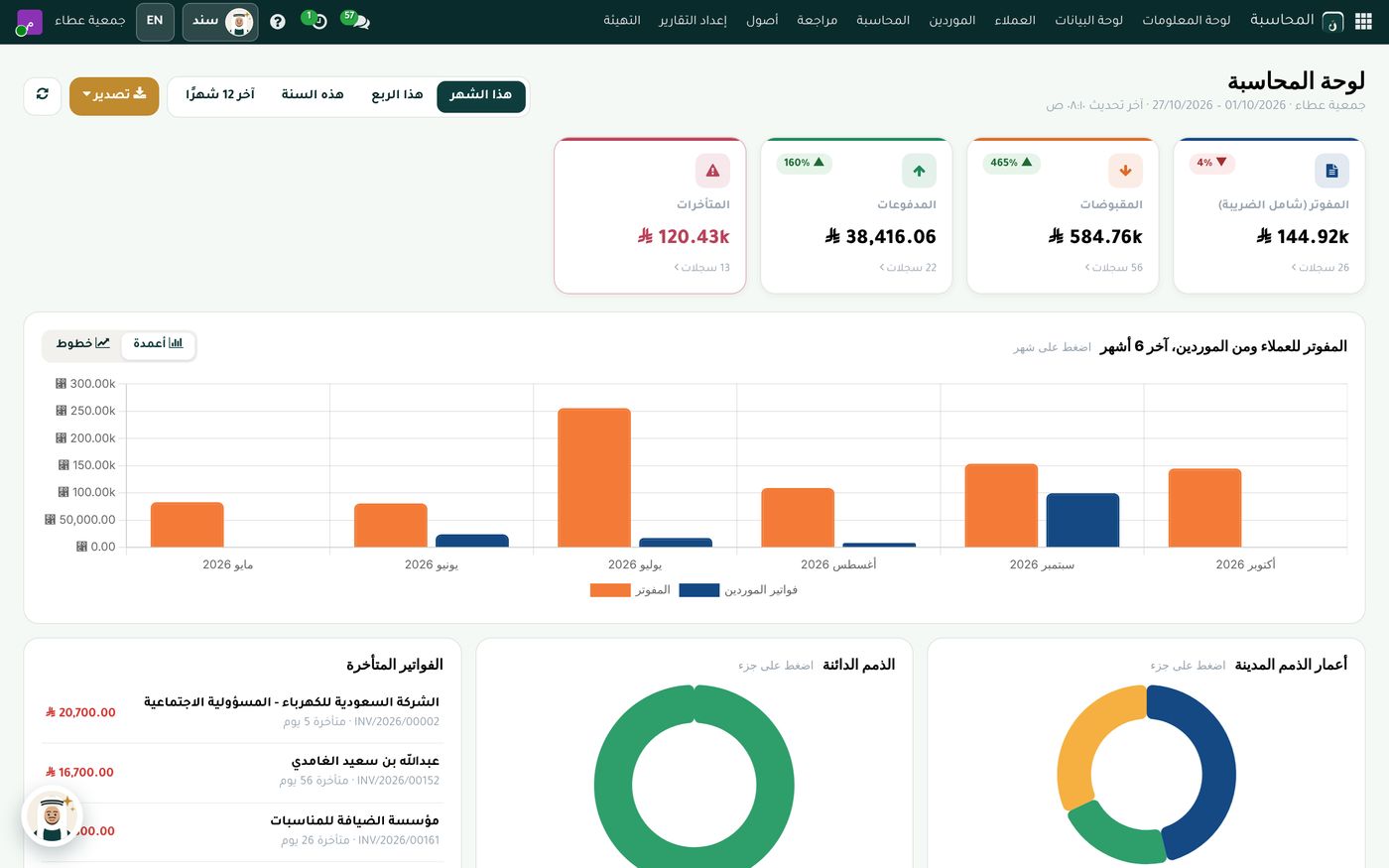
The dashboard shows invoiced, received, paid and overdue cards at the top, a bar chart of invoicing to customers and from suppliers below them, then a list of overdue invoices and two donut charts for aging. Accounting in Najeed follows the unified chart of accounts of the National Center for Non-Profit Sector, which we explained in our article on the unified chart of accounts for charities.
Purchases and expenses in one system
A charity has two kinds of spending: supplier invoices paid after purchase, and expenses an employee or volunteer pays first and then claims. The first appear in the purchasing dashboard:
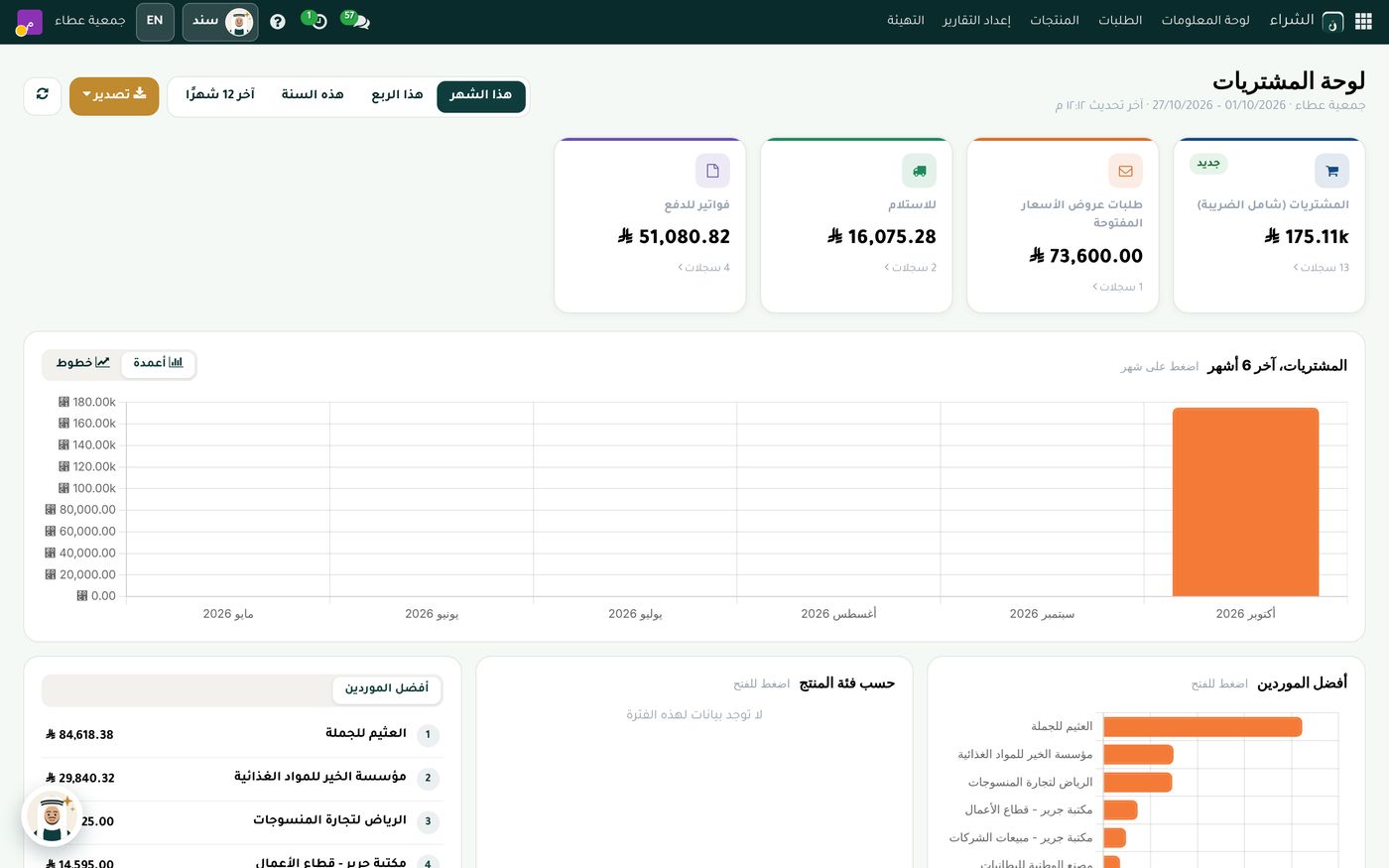
The screen shows cards for purchases, open requests for quotation, receipts and invoices to pay, with a purchases chart and a list of top suppliers below. When both kinds of spending live in one system, the charity gets a clearer picture of what it pays and what it owes.
Tips for a smooth rollout
- Start with event volunteers: they are the people most likely to pay out of pocket and claim later.
- Keep approval short for small amounts: and save the higher level for large ones.
- Review overdue items weekly: so people who paid from their own pocket are not kept waiting.
- Train the team to photograph the whole receipt: the barcode and details are read from a clear picture.
You can also use Sanad, a private AI assistant for your organization, to answer your team's questions about these screens.
Summary
When an employee snaps a receipt on their phone, it fills in automatically, goes through a documented approval cycle and arrives as a ready accounting entry, the accountant saves time, the employee is paid back faster and the charity keeps a clear record for its reviewers. If you would like to see this flow on demo data, the Role8 team will be glad to show you.
Try Accounting and governance in Najeed
Try Najeed with demo data, or contact us and we'll set up the system for you.